
This is the English reading version of the Dutch news item Straks schrijft de AI je generator, niet je model.
SkipTheCAD listed 666 generators for 3D print models on 30 October 2026, spread over fifteen categories. They are not CAD files you still have to edit, but tools that hand you an STL or 3MF straight away: a gear, a Gridfinity bin, a lithophane, or a little figure rolled out of a photo. The interesting question is not how many more will arrive, but what happens once an AI starts calling those generators, and after that starts writing them itself.
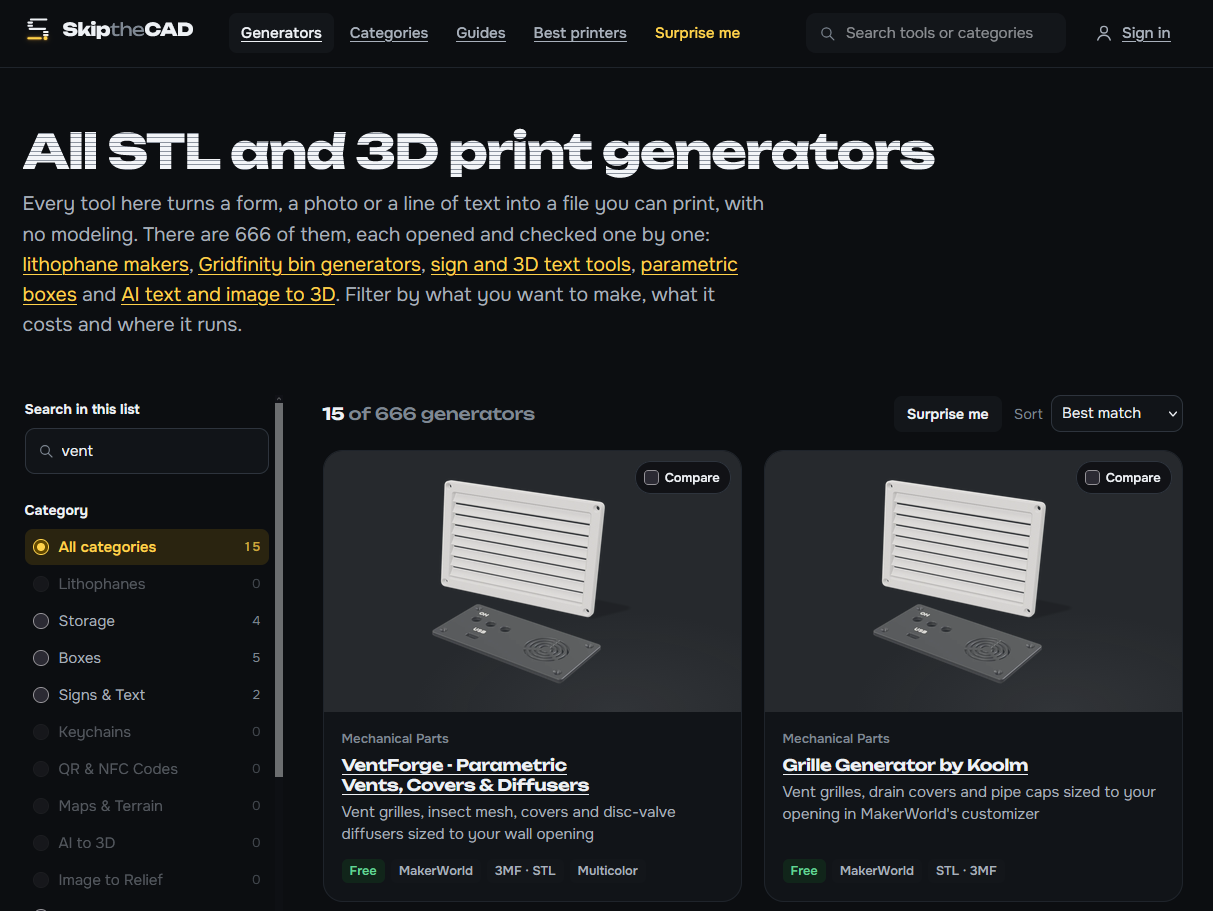
Of those 666, 510 are free, but 320 ask for an account before you can download and 120 are open source. The AI-to-3D category stands out: 57 tools, 14 of them free, the rest working on credits or a subscription. The biggest categories are Gifts (169), Mechanical Parts (137), Storage (112) and Signs and Text (109). Those four add up to more than 666, because a generator may sit in several categories at once.
Two kinds of generators
On one side are the parametric generators, which calculate from fixed rules. Koolm’s gear generator asks for modulus, tooth count and pressure angle and returns the same model every time from the same input. Perplexing Labs’ Gridfinity generator builds bins from a grid at your own size, height and wall thickness. On the other side are the AI generators, which turn language or images into geometry. Meshy makes a model from a description or a photo, Tripo AI also accepts a sketch, and there the result is not repeatable: the same prompt gives you a different model twice. The two are growing towards each other, as several AI hubs now put generators for fixed shapes next to their models.
Who defines the geometry
The difference between the two is not in the end result. A housing from a generator prints just as well as a housing you modelled yourself. The difference is in who defines the shape: in CAD that is you, in a generator it is the person who built the tool, and all you pick are the numbers. For repeat work that is a win: nobody has to build a Gridfinity bin, a gear or a house number sign by hand any more, and someone who has never done CAD can make a printable relief of a child’s drawing in a browser.
Where it stops is just as clear. No generator knows your printer, your filament or your tolerances, and you cannot chain two of them: the gear and the housing around it come from tools that know nothing about each other. What you take away is a generic STL or 3MF, and after that orientation, supports and fits stay with the slicer and with you. An AI generator also delivers what looks like what you asked for, not what works: wall thickness, hole positions and radii come out of a probability model instead of a calculation.
First the AI calls the generator, then it writes it
An AI model with access to tools, through MCP or an agent setup, can already call the generators on a site like this. You ask for a bin of 150 by 150 by 30 millimetres, the agent fills in the fields and fetches the STL. That saves navigating and clicking, but they remain someone else’s generators: you depend on what the site offers, how long it stays reachable, what it costs and which format comes out.
The step after that is the model writing the generator itself. You describe your problem: a bracket that clamps a 20 millimetre pipe to a 5 millimetre plate, printable without supports on a Bambu A1, in PETG with a layer height of 0.2 millimetres. What comes back is not an STL but a script in CadQuery, build123d or OpenSCAD, with the pipe diameter, the plate thickness and the printer as parameters. You run the script locally and end up with a STEP file you change by editing the code. Instead of 137 mechanical parts to choose from, every question gets its own generator.
What remains is the work you cannot hand over: checking whether it fits, whether it is strong enough and whether it prints. And the code is the only part you really hold: a model you run locally through Ollama or LM Studio writes those scripts without an account and without credits, and the history stays on your own disk.
My verdict: the generator website is an intermediate stage, and the value sits in the code behind it. Ask a model for a CadQuery or OpenSCAD script instead of an STL, run it on your own machine and keep it next to your models. A downloaded STL is a dead file you can only scale in the slicer; thirty lines of script you can still adapt in five years, even if the service that made them went offline long ago.